Tesla Headlight Replacement: Complete DIY Guide (Model 3, Y, S, X)
A cracked headlight from road debris, a foggy lens from failed seals, or a dead LED segment—whatever brought you here, replacing a Tesla headlight yourself is very doable. The job takes 1-2 hours and saves serious money.
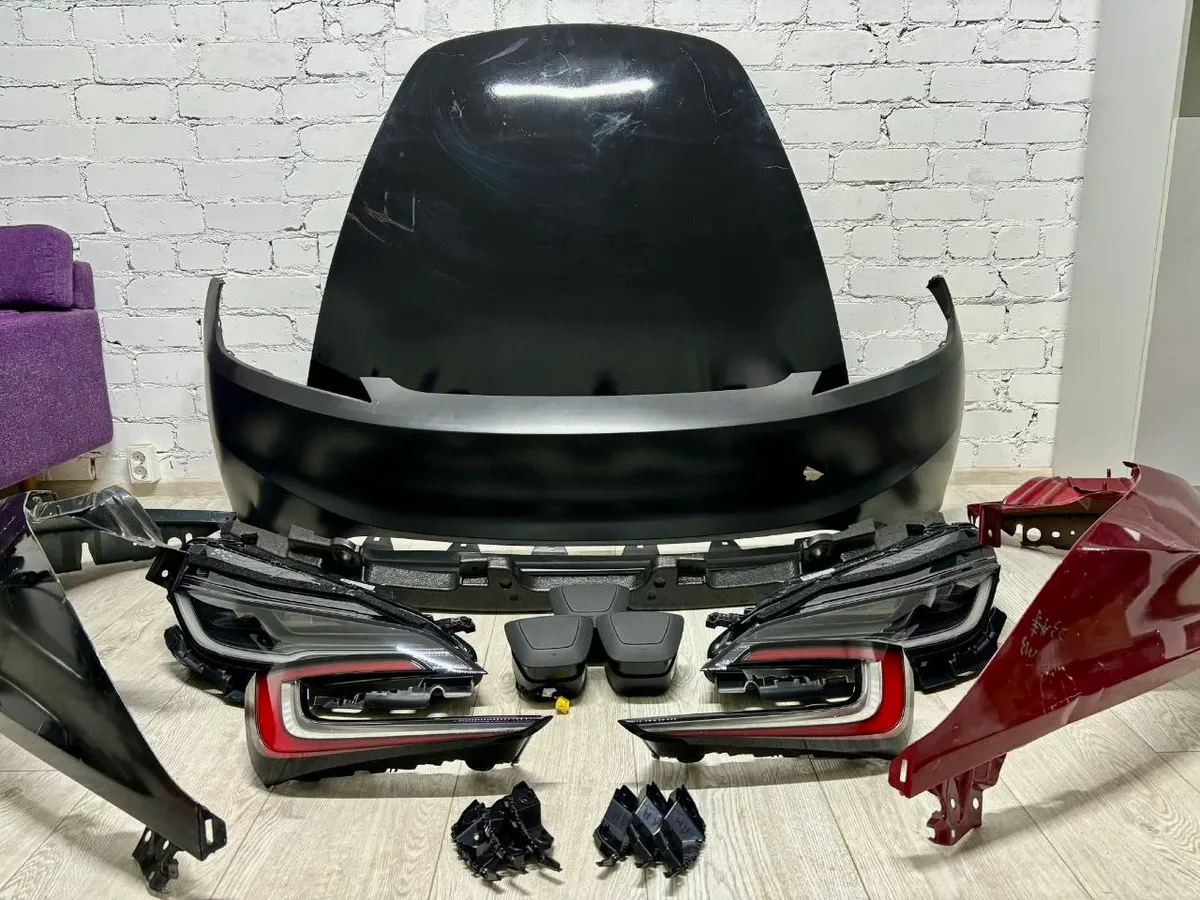
Tesla service centers typically charge $1,100-2,000 for a headlight replacement. DIY, you're looking at $300-900 for the part and an afternoon of work with basic hand tools.
The main challenge isn't the headlight itself—it's the bumper. Tesla headlights are accessed from behind the front fascia, so the bumper has to come off first. Once the bumper is out of the way, the headlight is held in by just 1-2 screws, a fender bracket bolt (Torx T20), and an electrical connector.
When to Replace Your Headlight
Before ordering parts, make sure replacement is actually necessary:
- Cracked or shattered lens — road debris, minor collision, or parking lot damage
- Persistent condensation inside — seal failure letting moisture in (minor fogging after rain can be normal, but standing water isn't)
- Dead LED segments — partial or full LED failure
- Flickering or intermittent operation — electrical connector issues or internal driver failure
- Physical damage to housing — bent mounting tabs, cracked housing
What you might NOT need a replacement for:
- Light condensation after a car wash or rain — often clears on its own
- Dim headlights — could be a software or calibration issue
- Headlight aim too high or low — adjustable through the touchscreen (Controls > Service > Adjust Headlights)
Know Your Headlight Type
Tesla has used different headlight technologies across models and years. Make sure you order the right one.
Model 3:
- 2017-2020: Standard LED headlights
- 2021-2023: Standard LED or Matrix LED (depending on trim and production date)
- 2024+ (Highland): Redesigned housing with new Matrix LED — not compatible with pre-2024 assemblies
Model Y:
- 2020-2023: Standard LED or Matrix LED
- 2024+ (Juniper): Redesigned — different assembly from earlier years
Model S:
- 2012-2016 (pre-facelift): Halogen low beam + LED high beam
- 2016-2021 (facelift): Full LED
- 2021+ (Plaid/refresh): Matrix LED, completely new design
Model X:
- 2016-2021: Full LED
- 2021+ (refresh): Matrix LED
Tools and Parts
Tools Needed
This job uses almost entirely 10mm fasteners — grab a coffee and a 10mm socket.
- 10mm socket + ratchet (1/4" or 3/8" drive)
- 10mm deep socket (for a few recessed bolts)
- Socket extension (6" minimum)
- Flat-head screwdriver (for clip removal)
- Phillips screwdriver
- Plastic trim pry tool set — protects your paint
- Masking tape — protect fender edges during bumper removal
- Zip-lock bags or magnetic tray — keep track of bolts
- Gloves — avoid cutting hands on plastic edges
🛒 EU shoppers: Amazon.de Werkzeug-Set | iFixit Pro Tech Toolkit
Parts: Where to Buy
| Source | Price Range | Notes |
|---|---|---|
| Tesla Parts (shop.tesla.com) | $800-1,200 | Guaranteed fit, latest firmware |
| RR Car Parts | €500-900 | OEM Tesla parts, EU shipping |
| eBay / car-part.com | $300-600 | Used OEM, check part numbers carefully |
| Aftermarket (Tesery, etc.) | $400-800 | Mixed quality, verify CAN bus compatibility |
For used parts: Cross-reference the Tesla part number stamped on the back of your current headlight. Search that number directly on eBay or car-part.com for exact matches.
Step-by-Step: Model 3 and Model Y
The procedure is nearly identical for Model 3 (2017-2023) and Model Y (2020-2023). The 2024+ Highland and Juniper models have a redesigned front end with a slightly different fastener layout—we'll note those differences where applicable.
Phase 1: Prep and Frunk Disassembly
1. Power off the vehicle. Put the car in Park. On the touchscreen, go to Controls > Safety > Power Off. Wait 2 minutes before starting work. This prevents the car from suddenly activating systems while your hands are near wiring.
2. Open the frunk. Use the app, key fob, or touchscreen.
3. Remove the frunk tub/storage liner. Pull out the rubber mat and the plastic frunk liner. On Model 3, the liner lifts straight up after removing the rubber mat. On Model Y, there may be additional clips holding the liner in place.
4. Remove the frunk latch cover. Disconnect the frunk latch electrical connector by pressing the tab and pulling it free. Set the latch assembly aside.
5. Remove the upper plastic panel. Press the 2 plastic tabs on top of the storage cover to reveal 10mm bolts underneath. Remove these bolts. You'll find 2 more 10mm bolts near the front, close to where the frunk latch was. Remove those too. One more 10mm bolt sits near the brake fluid reservoir—remove it. Check the bottom of the frunk for 2 additional bolts. Once all fasteners are out, lift the entire front plastic cover/panel upward and out.
Bolt count so far: ~7 bolts (10mm). Bag and label them.
Phase 2: Front Bumper (Fascia) Removal
This is the most involved part of the job. Take your time and protect your paint.
6. Remove the upper bumper bolts. Along the top edge of the bumper (now exposed after removing the frunk panels), you'll find six 10mm bolts. Remove all six.
7. Remove the fender liner fasteners. Turn the steering wheel to create more room. On each side (driver and passenger):
- Pop out the 5 push clips on the fender liner using a flat-head screwdriver or trim tool
- Pull back the fender liner to expose the side bumper bolts
- Loosen the two forward 10mm bolts that attach the fascia to the fender
- Remove the outermost 10mm bolt at the corner of the bumper
Repeat on the opposite side.
8. Remove the bottom clips. Underneath the front bumper, there are several push clips holding the lower edge. Use a flat-head screwdriver to pop the center pin, then pull out each clip.
9. Apply masking tape. Before pulling the bumper, put masking tape along the edges of both front fenders where the bumper meets the body. This prevents paint scratches as you slide the bumper off.
10. Remove the bumper. With all fasteners removed, the bumper is held only by friction and alignment tabs. Gently pull it forward and away from the fenders. Start from one side, working the bumper off the alignment tabs. Get a helper for this step — the bumper is large and unwieldy.
Once the bumper is free enough, reach behind and disconnect the fog light electrical connectors (one on each side). Then set the bumper on a clean blanket or soft surface.
Phase 3: Headlight Removal
With the bumper off, the headlights are fully accessible.
11. Disconnect the headlight electrical connector. Find the large wiring connector on the back of the headlight assembly. The connector has a red locking tab — pull the tab away from the connector to unlock it (do not push down on the red tab), then pull the connector body straight out. Don't yank sideways.
12. Remove the fender bracket bolt. Remove the bolt that attaches the fender bracket to the body using a Torx T20 socket (3 Nm / 2.2 ft-lbs). Remove the bracket from the vehicle.
13. Remove the headlight screws. Each headlight is held by 1-2 screws (10mm) at 5.9 Nm (4.4 ft-lbs). One is on top; some headlights also have a lower fastener, but not all do. Remove all screws present.
Note: Tesla's service manual states "The headlight might not be equipped with a lower fastener." Check your specific headlight — if there's only one screw on top, that's normal.
14. Remove the headlight assembly. With the screws out and connector unplugged, the headlight slides forward and out. There are alignment dowels (pins) that locate the headlight on the body — just pull the assembly straight forward to clear them. Support the headlight with your other hand so it doesn't fall.
That's it for removal. Set the old headlight aside.
Phase 4: Installation
15. Position the new headlight. Align the dowel pins on the new headlight with the grommet holes on the body. Slide the assembly straight back until it seats fully and the mounting holes line up.
16. Install the headlight screws. Thread in the 10mm screw(s) by hand first to ensure they're not cross-threaded. Torque to 5.9 Nm (4.4 ft-lbs). If your headlight has a lower fastener position, install that screw too.
17. Install the fender bracket. Position the bracket and install the Torx T20 bolt. Torque to 3 Nm (2.2 ft-lbs).
18. Reconnect the electrical connector. Push the connector into the headlight until the red locking tab clicks into place. Give it a gentle tug to confirm it's locked.
19. Test before reassembling. Before putting the bumper back on, power on the car and verify the new headlight works: low beam, high beam, turn signal, and daytime running lights. Cycle through all functions. It's much easier to troubleshoot now than after reinstalling 20+ fasteners.
20. Reinstall the bumper. Reverse the removal process:
- Connect the fog light harness connectors
- Align the bumper to the body mounting tabs on both sides
- Push the bumper into position, starting from the center and working outward
- Reinstall the bottom clips
- Reinstall the fender area bolts and nuts (both sides)
- Reinstall the six upper bumper bolts
- Snap the fender liners back into place and reinstall the push clips
21. Reinstall the frunk panels. Reverse Phase 1: bolt the upper plastic panel back in, reconnect the frunk latch, and put the storage liner and mat back.
Important: After reconnecting the front fascia electrical connections, Tesla's service manual recommends initiating a software reinstall on the touchscreen before completing reassembly. This ensures the new headlight's firmware is properly synchronized with the vehicle.
Headlight Calibration
After installing a new headlight, you need to aim it properly. Misaligned headlights blind oncoming drivers and reduce your visibility.
Built-in adjustment (all models):
- Park on a flat surface facing a wall or garage door, about 25 feet (7.5m) away
- On the touchscreen, go to Controls > Service > Adjust Headlights
- The car will prompt you to select which headlight to adjust
- Use the on-screen arrows to move the beam up/down until it's level with the horizontal cutoff line
If the touchscreen shows a calibration prompt when you enter the headlight adjustment menu, follow the on-screen instructions. This typically happens when the car detects a new headlight assembly.
Firmware Considerations
This is the part most DIY guides skip, and it trips people up.
Tesla headlights contain their own microcontroller and communicate with the car over CAN bus. When you install a headlight:
- New OEM from Tesla: Firmware is current. Usually works immediately, just needs aim calibration.
- Used OEM from another vehicle: The headlight's firmware may be older than your car's software. If you get flickering, delayed startup, or calibration refuses to work, you'll need a software redeploy through Service Mode.
- Aftermarket: Compatibility varies. Some cheap aftermarket assemblies don't properly communicate over CAN bus and may throw errors.
Service Mode firmware redeploy:
- Enter Service Mode on the touchscreen (hold the Tesla "T" logo for ~5 seconds, or navigate via Controls > Service)
- Find the headlight firmware section
- Select "Redeploy" to push the current vehicle firmware to the new headlight
- After redeployment, restart the car and test all headlight functions
If you can't resolve firmware issues through Service Mode, a Tesla Mobile Service visit can flash the headlight — this typically costs less than a full service center appointment.
Model S and Model X Notes
The overall concept is the same — remove bumper, swap headlight — but there are key differences:
Model S (2016-2021 facelift):
- The front fascia has more fasteners (20+ clips for the fascia harness)
- Headlight assembly is held by bolts at different positions than Model 3/Y
- Active spoiler mechanism (on some trims) needs care during bumper removal
- Horn brackets (4 bolts, 11 Nm) may need removal for access
Model X:
- Front fascia removal is similar to Model S
- Pay attention to the parking sensor wiring — Model X has sensors in the bumper
- Falcon Wing Door proximity sensors are NOT in the front bumper, so you don't need to worry about those
Model S/X (2021+ refresh/Plaid):
- Completely redesigned front end
- More integrated bumper with different fastener layout
- Matrix headlights with unique connector
For Model S and X, we recommend consulting the model-specific service manual procedure before starting. The core steps (bumper off → headlight bolts → connector → swap → reassemble) are the same, but fastener counts and locations differ.
2024+ Highland and Juniper Models
If you have a 2024+ Model 3 (Highland) or 2025+ Model Y (Juniper), the front end is redesigned:
- Different headlight shape and housing — not interchangeable with earlier models
- Different bumper attachment points — the fascia clips and bolt positions changed
- Same general procedure — bumper removal → headlight access → bolt removal → swap
- Matrix headlights standard — calibration through touchscreen still applies
The fundamental process hasn't changed, but make sure you're sourcing the correct part number for your specific production year.
Troubleshooting
Headlight doesn't turn on after installation:
- Check the electrical connector — is it fully seated and locked?
- Try a vehicle reboot (hold both scroll wheels for 10 seconds)
- Used headlight may need firmware redeploy through Service Mode
One headlight is dimmer than the other:
- Different headlight generation on each side (if you only replaced one, age difference can cause brightness mismatch)
- Check that the electrical connector is fully seated
Headlight aim won't adjust via touchscreen:
- The internal aim motor may be stuck or damaged (common with used headlights that took a hard impact)
- Try the firmware redeploy process first
- If the motor is physically damaged, you'll need a different headlight assembly
Headlight turns on with a 2-3 second delay:
- Firmware mismatch between headlight and vehicle software
- Perform a software redeploy through Service Mode
- If that doesn't work, a Tesla service visit can flash the correct firmware
Error message on touchscreen about headlight:
- Power cycle the vehicle (Controls > Safety > Power Off, wait 5 minutes, open door)
- Check connector seating
- If the error persists with a used headlight, firmware redeploy is almost always the fix
Cost Comparison
| Method | Parts | Labor | Total |
|---|---|---|---|
| Tesla Service Center | $800-1,200 | $300-500 | $1,100-1,700 |
| Independent shop | $500-900 | $200-300 | $700-1,200 |
| DIY (new OEM) | $800-1,200 | $0 | $800-1,200 |
| DIY (used OEM) | $300-600 | $0 | $300-600 |
| DIY (aftermarket) | $200-500 | $0 | $200-500 |
The sweet spot for most people is a used OEM headlight from eBay or a salvage marketplace. You get genuine Tesla quality at 40-60% of the new price. Just verify the part number matches and inspect the assembly for internal damage or moisture before buying.
Final Tips
- Label every bolt as you remove it. The bumper alone has 15+ fasteners, and mixing them up during reassembly will frustrate you
- Work on a clean, flat surface. You need space to set the bumper down safely
- Take photos before and during disassembly. Your phone camera is the best reassembly guide
- Budget extra time for your first attempt. The job gets much faster the second time around
- Don't force anything. If a clip or bolt won't come free, you're probably missing a hidden fastener. Check again before applying more force
- Protect your paint. Masking tape on fender edges is cheap insurance against scratches during bumper removal
- Check your tail lights too. While you're working on lights, it's worth inspecting your tail lights for any issues
The hardest part of this job is working up the courage to pull the bumper off. Once you've done that, the headlight swap itself is quick and simple — two bolts and a connector. You've got this.
Related Guides
- Headlight Condensation Fix - Try fixing moisture before full replacement
- Tail Light Replacement - Easier rear light swap (no bumper removal)
- Jack Points & Lifting Guide - Safe lifting if you need underbody access
- Paint Chip Repair - Fix chips while the bumper is off

🛠️ Tools Needed for This Repair
These are the tools I personally use and recommend. Using quality tools makes the job easier and safer.
-
Basic Mechanic Tool Set
We earn commissions from qualifying purchases through our affiliate partners. This helps support the site at no extra cost to you.