Tesla Parking Sensor Replacement: Diagnosis, Parts and Reset
Some links are affiliate links. As an Amazon Associate I earn from qualifying purchases. Check vehicle compatibility before buying. How recommendations work.
A parking-sensor communication alert does not automatically mean that buying another sensor will fix the car. Identify the affected position, confirm the replacement part, inspect its connection and wiring, and complete the procedure required for the installed sensor system.
This guide covers ultrasonic parking sensors (USS), the circular units fitted into the bumpers. Its procedure examples come from Tesla's 2017–2023 Model 3 and 2020–2024 Model Y manuals, for vehicles actually equipped with USS. Model S/X, other generations and vehicles using camera-based Park Assist need their own documentation. This is a source-based diagnosis and repair-planning guide, with a reader-reported connector-repair outcome below.
Start With the Fault, Not a Parts Order
Record the full alert code and wording before clearing anything. “Parking Assist unavailable” describes a lost function; a sensor-specific communication alert provides a more useful starting point. Note whether it is currently active or only recorded in history, when it returns, and whether one or several sensor positions are affected. Tesla's Service Mode alert history can include set/clear timestamps; available detail depends on vehicle and software. Tesla Service Mode release notes.
| What you find | Useful next check |
|---|---|
| Dirty, icy or obstructed sensor face | Clean gently and remove the obstruction before judging the hardware |
| Sensor pushed inward or sitting at an angle | Inspect its retainer, seal and surrounding fascia; replacing the sensor alone may leave the mounting fault |
| Cracked sensor or impact damage | Check both the unit and its mounting, connector and nearby harness |
| Communication alert at one position | Confirm the position from the applicable diagram, then investigate fitment, connection and wiring |
| Same communication alert after replacement | Verify the replacement and prescribed completion routines; continue diagnosis if the alert remains active |
| Several positions affected | Ask for diagnosis of their connections and the relevant system, rather than ordering every sensor |
Tesla lists dirt, ice, excessive paint, wraps, bumper misalignment and other obstructions among causes of unreliable Park Assist. Avoid abrasive cleaning and high-pressure washing of sensor faces. A warning that persists after cleaning still needs diagnosis; it does not prove internal sensor failure. Tesla Model 3 Park Assist guidance.
If a replacement has already failed to fix it
Keep the original and replacement part numbers, photographs of their labels, and the before/after alert record. Ask the repairer to check connector locking, displaced or damaged terminals, corrosion, moisture and harness damage using the applicable diagnostic procedure. Electrical measurements need the correct wiring information and test method; do not apply external power or improvise pin tests.
A continuing S10 communication fault, for example, does not establish that the only remaining problem is a reset. An incompatible or defective replacement, a connection/wiring fault, or an incomplete prescribed routine still needs to be distinguished. “The connector fits” and “the fault code names this position” are not sufficient proof of compatibility or cause. Even after a repairer verifies a compatible sensor proven to work and completes the required routines, a persistent active alert calls for further diagnosis.
Reader Case: S10 Fault Resolved After Connector Repair
A reader, Mark, reported an S10 fault on a Model 3 RWD built in August 2020. He reports that the removed and replacement sensors both carry part number 1127503-11-D, with black and brown housings. The label sides are not visible in the sensor photograph below, so the photograph cannot verify the numbers or compatibility.
Replacing S10, swapping S10 and S11, and shutting down and rebooting the vehicle initially made no difference. In his October 6, 2026 follow-up, Mark reports finding wires loose at the S10 connector terminals. He removed the terminals, reattached and soldered the wires, then reinserted the terminals. He reports that repairing this connection resolved the S10 fault. This is a reader-reported result; the connector repair has not been independently inspected.
Mark also reports that the bumper wiring was unsecured in its clips and was not routed along the plastic cable channels. He suspects that this allowed the wires to be pulled out of the terminals. The routing condition is his observation, and its role in causing the fault is his suspected explanation.
He reports that his vehicle detected the sensors after the S10 replacement, the S10/S11 swap and the connector repair without any reset or USS address programming. That observation applies to his vehicle; the completion requirements for other configurations must still be checked against the applicable procedure. It does not establish general sensor interchangeability.
Mark supplied no photographs of the connector-repair process. This account should not be used as a soldering or terminal-repair instruction. Tesla's Model 3 wiring-harness repair guidance describes replacement terminal pigtails and restoring factory routing and restraint; have the repairer select the applicable approved method for the damaged connection. The spare Amazon.ca connector he bought was never used, so its compatibility remains unverified.
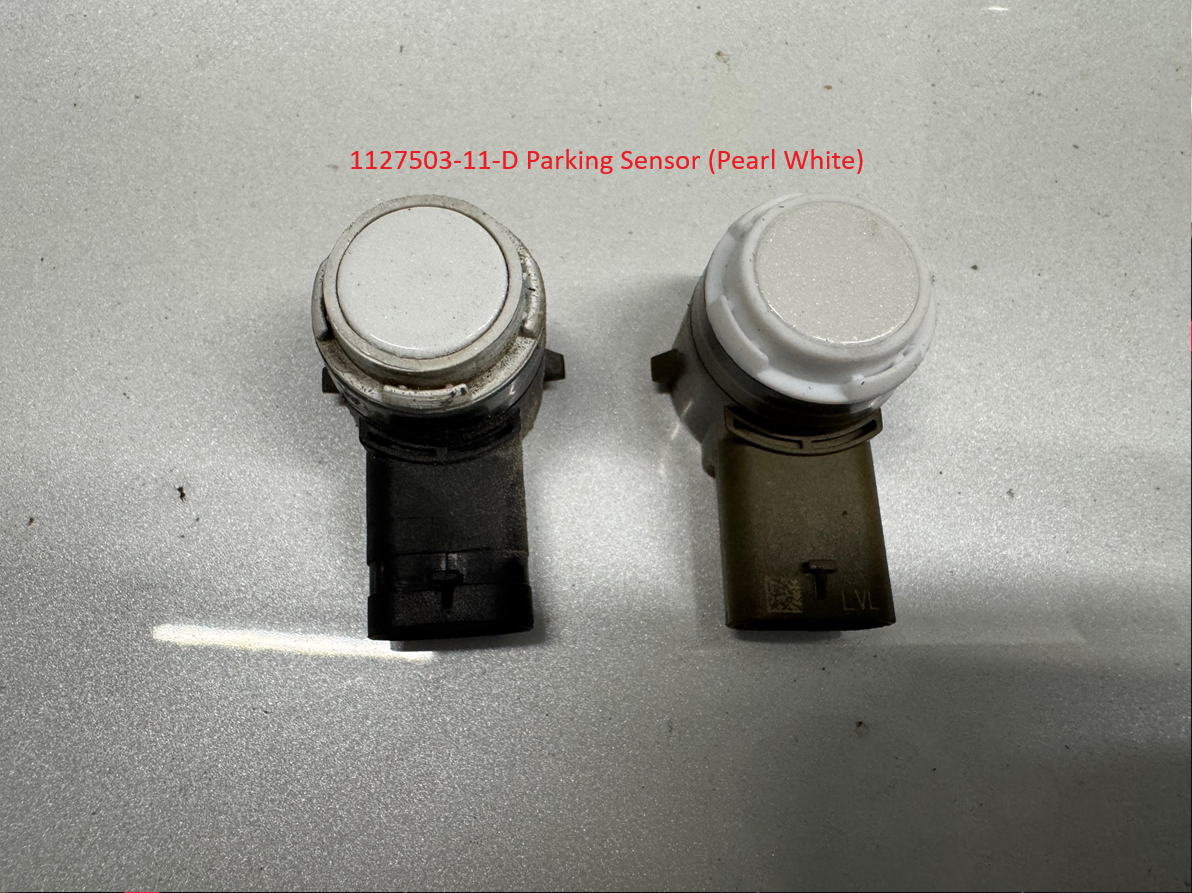
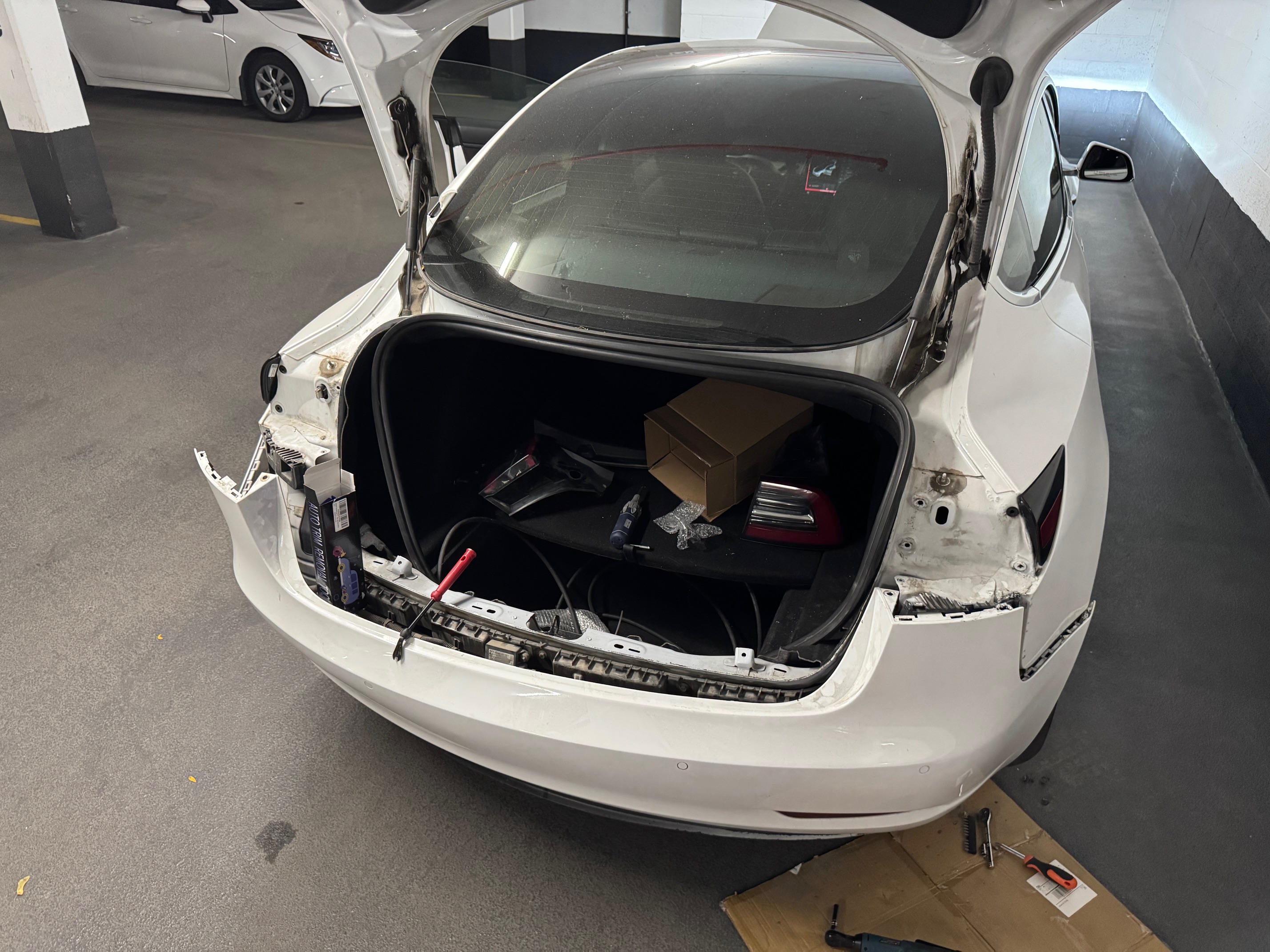
This reader report illustrates why connector terminals and wiring deserve inspection when a sensor replacement leaves the same communication fault active. Retain the fault record and check the complete repair process. The source procedures and their limitations are explained below.
Which Sensor and Part Do You Need?
Use the VIN and installed configuration in the Tesla parts catalogue, or ask Tesla/a supplier for written fitment confirmation. The replacement procedures explicitly distinguish Tesla USS and Valeo sensors and direct technicians to the catalogue to identify the installed type. Model 3 front procedure, Model Y front procedure.
Before paying, confirm:
- Exact sensor position and application for your vehicle.
- Complete original and replacement part numbers, including suffix/revision and any documented supersession.
- Sensor supplier/type, connector and mounting arrangement.
- Required seal/retainer, finish or painting requirements, and whether these are included.
- Return conditions if the delivered part is incorrect or defective.
Do not assume that all front, rear and side-facing units interchange, that a later revision always works, or that one base part number fits every Tesla. Model year and paint colour alone are insufficient. This guide does not recommend an unverified marketplace sensor listing.
Sensor Positions and Access on the Documented Model 3/Y
The table summarizes access planning, not the full dismantling instructions. Open the linked procedure and all prerequisites before starting; use its diagram to locate the named position. The sensor grouping shown here must not be transferred to Model S/X. On a phone, swipe the table sideways to compare the access columns.
| Sensor position | 2017–2023 Model 3 access | 2020–2024 Model Y access |
|---|---|---|
| Front inner: S3, S4 | Underhood apron, cabin intake duct and storage unit removal. Procedure | Underhood components; published steps also list front fascia removal. See note below. Procedure |
| Front outer: S1, S2, S5, S6 | Nearest front wheel and wheel-arch liner removal. Procedure | Nearest front wheel/fender garnish; release the front of the liner. Procedure |
| Rear inner: S8, S9, S10, S11 | Rear fascia removal. Procedure | Rear fascia removal. Procedure |
| Rear outer: S7, S12 | Release the relevant fascia attachment and pull the fascia outward for clearance. Procedure | Fender-garnish/side attachment access, then pull the fascia outward. Procedure |
Documentation note, checked October 2, 2026: The Model Y front-inner page's change log says front fascia removal was deleted, while its numbered removal/install steps still include it. Have the repairer confirm the current applicable method before estimating or dismantling; this guide does not choose a shortcut to resolve that conflict.
These examples do not support generic trunk-liner access to every rear sensor or undertray-only access to every front sensor. Access depends on position and vehicle. A displaced sensor may also need a repaired retainer or fascia, rather than simply being pushed back into the hole.
Physical Replacement: What Must Be Planned
Before hands-on work, keep the vehicle stationary in Park on stable, level ground and prevent anyone from selecting a gear. Follow the applicable procedure's preparation and power-isolation requirements. Wheel removal or underside access requires the specified lifting points and proper support; never work beneath a vehicle supported only by a jack. A touchscreen power-off is not a substitute for a required isolation procedure. Tesla requires the complete repair instructions and precautions to be understood before work. Tesla general safety guidance.
Once the correct sensor is exposed, the cited Model 3 rear procedure releases the connector lock and the retaining clips/tabs holding the sensor. It does not prescribe pushing a friction-fit sensor through the bumper from the outside. For a connector with the illustrated red lock, pull the lock away to unlock, then disconnect by the connector body; do not press down on the red tab. Re-engage it as instructed during assembly. Tesla rear-inner procedure.
Check secure retention, correct seating, seal condition, connector locking and harness routing before refitting disturbed trim. Do not compensate for a broken mount with adhesive on the sensor face. Follow the exact fastener, seal and retainer requirements in the relevant procedure.
After Replacement: Reset and USS Programming
Physical installation and diagnostic completion are separate parts of the repair. The current Model 3/Y procedures distinguish the installed supplier:
| Installed type identified through the catalogue | Completion specified in the cited front procedures |
|---|---|
| Tesla USS | TEST-RESET_PARK, followed by PROC_USM_FRONT_PROGRAM-USS-ADDRESSES (shown as Program Front USS) |
| Valeo | TEST-RESET_PARK |
This table describes the documented front examples; it is not a command sequence for every vehicle or rear repair. Tesla Model 3 front-inner procedure, Tesla Model Y front-inner procedure.
Important rear-procedure label inconsistency
As checked on October 2, 2026, the linked Model 3 and Model Y rear-inner pages also display Program Front USS, despite describing rear sensors. The 2021+ Model X rear HW3 procedure instead specifies Program Rear USS after the reset. Do not infer a universal rear command from this discrepancy: ask the repairer/Tesla to confirm the applicable routine for your configuration. Model 3 rear page, Model Y rear page.
A reboot, an update or a short drive is not a documented substitute for these prescribed routines. Nor does a blanket “before/after 2020” rule establish which system is installed. Record which routine was required, whether it completed successfully, and whether the original alert remains active.
Toolbox is not restricted to Tesla service centres. Tesla offers a diagnostic software subscription covering Toolbox and Service Mode Plus; access, connection requirements and available actions must be checked before paying. Basic Service Mode does not guarantee access to every needed routine. Tesla diagnostic software, Tesla Service Mode overview.
Model S/X and Safe Completion Checks
Use the manual for the actual S/X generation. For example, Tesla's 2021+ Model X rear HW3 procedure includes LV-power handling and explicitly says not to select Drive after reconnection until the prescribed Toolbox routine is performed. That requirement must not be replaced by an immediate test drive. Tesla Model X rear procedure.
Complete assembly and required routines before checking parking behaviour. Nobody should touch the sensor, wiring or bumper while the car is in Drive/Reverse, and nobody should stand in its path as a test obstacle. A driver must remain in control, use direct observation and be ready to stop. Park Assist can miss objects or give false readings; a clear display is not proof the path is safe. Tesla Park Assist limitations.
If the original active communication alert returns, retain the routine results and return to diagnosis. Repeatedly clearing the warning or replacing more sensors without evidence is not verification.
What to Ask Before Approving a Repair Quote
Ask the repairer to record:
- The full active alert, affected sensor position and evidence identifying the fault.
- Sensor part number/type and confirmation that it fits your VIN/configuration.
- Connector/harness and mounting findings, especially after an unsuccessful replacement.
- Access work required for that position, rather than a generic bumper-removal charge.
- Required reset/programming, diagnostic access cost and recorded completion result.
- Parts, seals/retainers, labour, taxes and any paint or fascia repair as separate items.
- How additional faults will be handled, and what completion checks/warranty are included.
Compare quotes for the same diagnosis and repair scope. A sensor-only advertisement excludes access, diagnosis and completion work, so it cannot establish that a full repair quote is excessive. This guide does not promise a universal repair time or price.
Related Guides
- Tesla Service Mode guide — understand the diagnostic interface and its limits.
- Tesla rear-camera troubleshooting — a separate visibility problem that sensor replacement will not resolve.